
IQ. DRIVE® in real life (a.k.a. the stuff that actually happens)
May 2026
We’re talking about the everyday stuff – the lane drift you catch yourself in, the sudden slowdown you didn’t see coming, the blind spot you double-check (and then double-check again)…Not the cinematic road trip moments or the once-in-a-lifetime drives (even though those technically apply, too).
The real world - that’s what we’re talking about. And it’s what IQ.DRIVE® was designed for.
Now, pause. If this is the first time you’re hearing about IQ.DRIVE®, here’s what it means. IQ.DRIVE® is driver assistance technology designed to help make everyday driving more convenient and provide added peace of mind in those routine, real-life moments behind the wheel. Simply put, it's a bundle of driver assistance functions that drivers tend to have strong feelings about, whether that's love or...something else. But understanding how these functions work—and work together—can help drivers make more informed decisions about when and how to use them.
Keep in mind, while IQ.DRIVE® can lend a hand in certain situations, it doesn’t replace you, the driver. Your attention, awareness, and judgement are still the most important part of every drive. And if needed, driver input will override the assistance. Think of this as a partnership between you and your Volkswagen. And of course, be sure to check your owner’s manual for detailed usage instructions and feature limitations for all IQ.DRIVE® technologies.
And here are some of the ways that IQ.DRIVE® can show up for you – in real life, when the stuff that actually happens…happens.
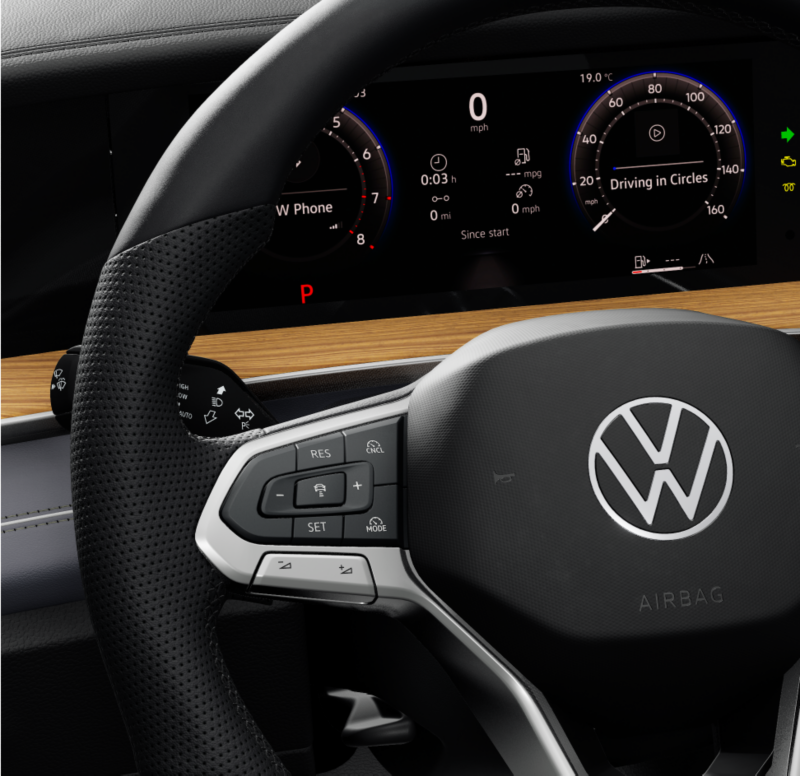
There are long highway stretches, and then there are long highway stretches with traffic.
And the highway is where Adaptive Cruise Control (ACC) really shines.
Adaptive Cruise Control is an assistance feature that helps with those frustrating moments when the person driving in front of you can’t quite commit to a consistent pace. ACC conveniently helps your vehicle automatically adjust your speed while keeping a preset distance from the car in front of you.
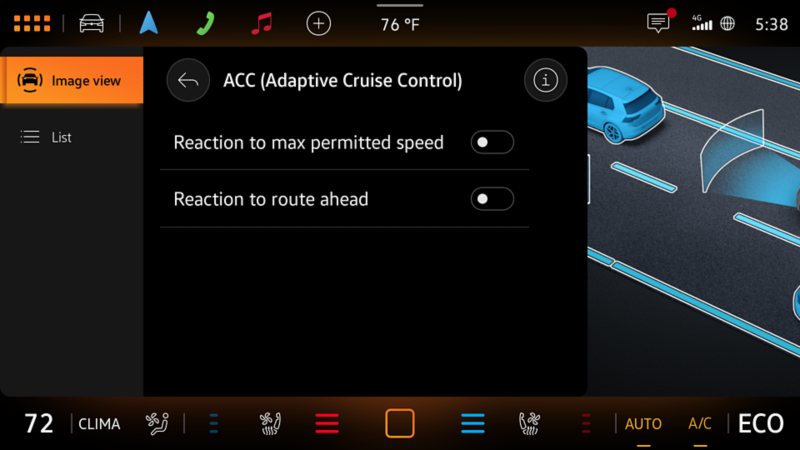
Depending on your vehicle model, model year, and equipment, enhanced Adaptive Cruise Control features may also be available. For example, predictive functions (should you decide to enable them) can use factory navigation data and the Dynamic Roadsign Display system to adapt your vehicle’s speed to known speed limits and the road layout ahead—like bends and intersections.
Activating ACC, along with speed and distance adjustments, can be made using the left-side steering wheel controls. And if equipped, any predictive functions can be enabled or disabled in the driver assistance systems settings menu. Be sure to check your owner’s manual for detailed instructions and feature limitations.
Also great for highway driving is Lane Assist.
While you’re cruising along and you somehow find that you’ve started to drift out of your lane, this is where Lane Assist can help.
When enabled and driving above 35mph, Lane Assist uses a camera to look for clear lane markings, or depending on your model, road edges to provide gentle steering nudges to help bring you back to the center in case you start to drift out of your lane. If clear lane lines or road edges are not visible—for example, while driving through narrow curves, construction zones, or in poor weather conditions—Lane Assist may not work. Within system limitations, if Lane Assist detects that your VW is drifting out of your lane, it can provide gentle steering nudges to help bring you back.
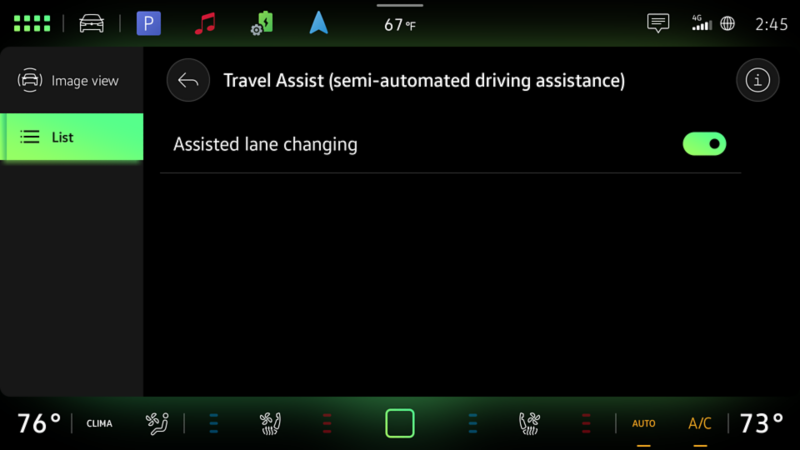
And if you really want to elevate the level of convenience while driving on the highway, say “hello” to Travel Assist, which combines both ACC and Lane Assist technologies. Travel Assist is a semi-automated assistance system that helps promote a smoother journey when traffic gets annoying. It allows you to maintain a pre-set distance (chosen by the driver and within system limitations) to the vehicle in front and helps you stay within your lane as traffic ebbs and flows. Travel Assist functionality can also vary by vehicle and equipment. Some models may include enhanced features, such as assisted lane changing. Be sure to check your owner’s manual for detailed instructions and feature limitations.
The vehicle you didn’t see…until you did
Mirrors? Check. Windows? Check. Turn signal? On. And just when you start to move into the lane next to you - there it is. The vehicle you didn’t know was there now enters your view.
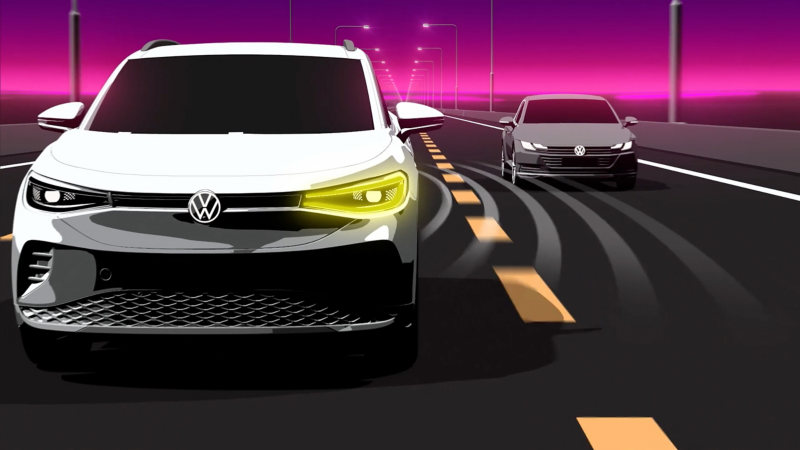
Every vehicle has blind spots. Active Side Assist—also called Active Blind Spot Monitor— lets you know when another vehicle is detected alongside yours, so these situations can stay “near misses.” The system provides visual alerts (you’ve probably already seen the blinking lights on your side mirrors), and in some situations, it may provide steering nudges if a lane change is attempted after an alert.
Something to keep in mind with this system: detection depends on speed and positioning (though there are other limitations, too). And it’s designed to detect traffic moving in the same direction as you. So, it’s extra important that you continue to check your mirrors and surrounding areas.
Traffic jam.
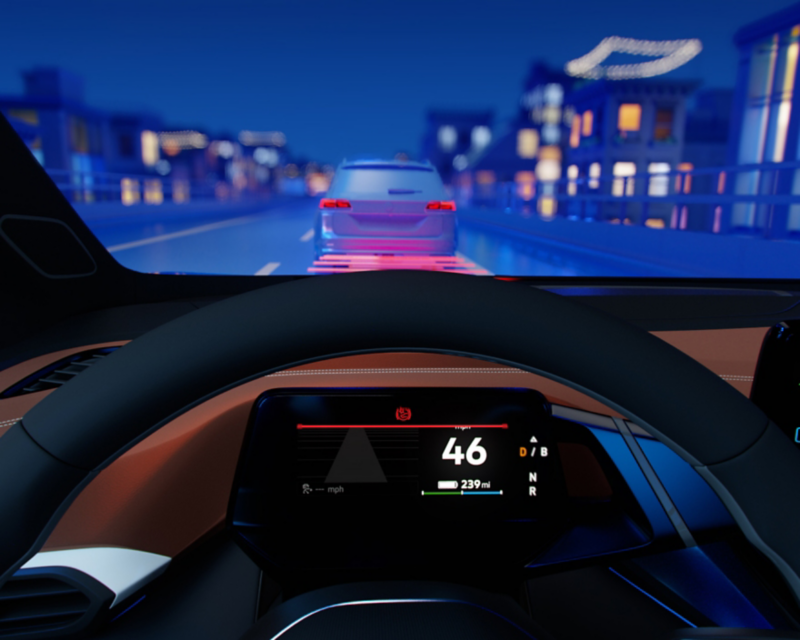
You know the moment. Everyone’s moving along just fine until you see an ocean of brake lights and traffic in front of you suddenly compresses. That’s where Front Assist can help. Within system limitations, it’s designed to monitor traffic ahead and warn you if it detects a potential collision with the vehicle in front of you. If you don’t respond, the system may (within system limitations) brake your vehicle automatically. If you do start to brake, the system may (within system limitations) determine that more braking power is needed and increase brake pressure to add support if these sudden slowdowns occur.
If you’ve ever driven with this feature, you may have noticed it in action in other situations too. Such as when the vehicle in front of you brakes somewhat suddenly so they can make a turn. In this scenario, Front Assist may alert you (loudly) and should the situation call for it, it may help brake your vehicle too.
If you can’t keep driving (think: a medical emergency).
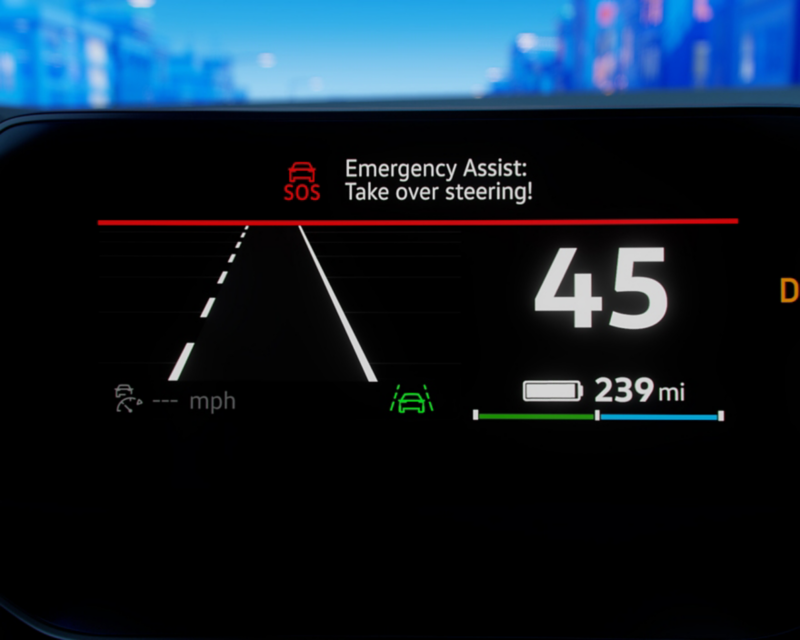
Emergency Assist is designed for the unexpected. For example, if you become unresponsive while driving. Working in the background, the Emergency Assist feature monitors driver engagement (such as ongoing steering input). If it senses you’re no longer actively operating the vehicle, it can issue a series of visual, audible, and haptic alerts. If there’s still no response, the system can help keep the vehicle in its lane and bring it to a controlled stop.
Because Emergency Assist also uses the Lane Assist technology, both Emergency Assist and Lane Assist must be enabled for it to operate. For detailed instructions and important system limitations, refer to your owner’s manual.
Reversing out of your driveway takes skill…
Especially if parked cars, walls, or hedges turn your rear view into a guessing game. Challenge accepted. You’re in reverse, checking the mirrors, rear window, rearview camera, but even the pros can’t see everything. Like that car driving down your street that came out of nowhere.
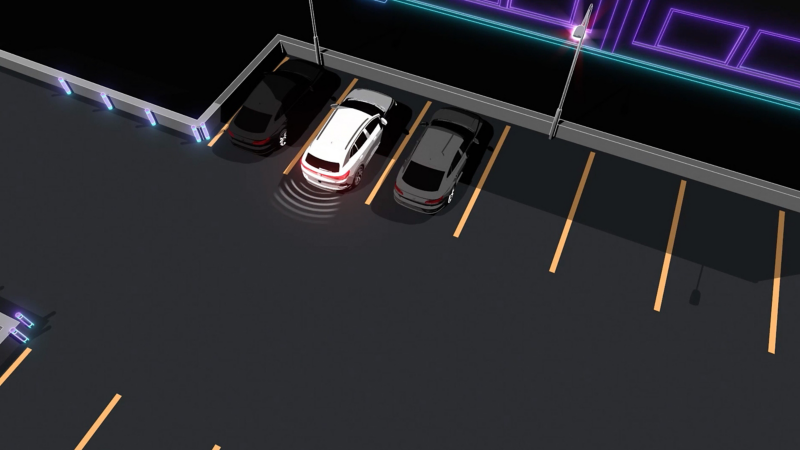
This is where Rear Traffic Alert can help. While in reverse, Rear Traffic Alert uses sensors to help detect vehicles* crossing behind you. If a vehicle—or motorcycle, depending on vehicle equipment—approaches from the side, the system can provide visual and audible warnings, and in some cases, assist with braking.
Some important details on this one—the detection range for Rear Traffic Alert can vary, and it is designed for reversing scenarios within the system’s limitations. If sensors are blocked or damaged, or visibility is reduced by things like heavy rain, snow, ice, etc., the system may or may not engage. Even steep driveways could cause unwanted braking.
Keep in mind—driver assistance systems aren’t perfect.
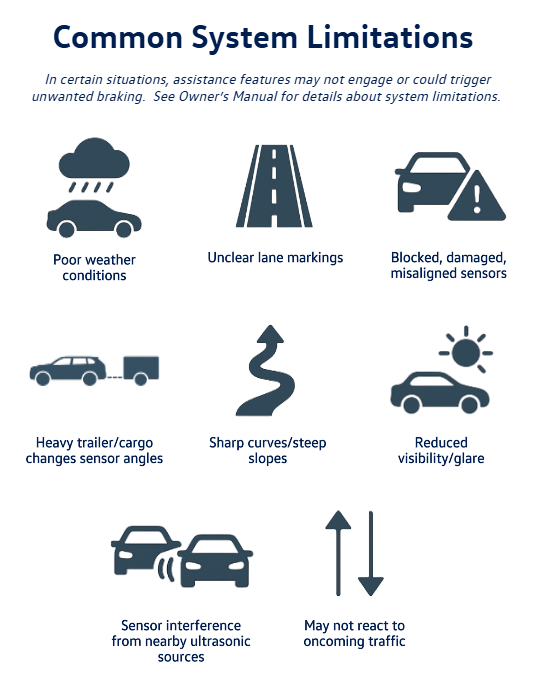
Which is why we need to pay attention to their limitations. Some may stem from built-in system parameters (like speed and following distance), but a lot of them are external factors. Like physics—we can’t overcome those laws.
As far as limitations go, it probably makes sense that cameras might not be able to detect lane markers in construction areas. Or that sensors can't detect oncoming vehicles. Or sensors could be blocked by rear-mounted accessories…rain and snow…mud and ice…
But glare from direct sunlight or interference from someone else’s vehicle sensors? Strange to think, but yes…it can happen too.
To help you get the most out of these features, it’s important to always stay alert (don’t drive distracted) and to keep your VW—especially the areas around its cameras and sensors—clean and clear of snow, ice, mud, road salt, and grime. A quick check (and wipe) before you head out can help the systems “see” what they need to see.
The takeaway.
These systems are designed to assist—not to replace an attentive driver. Knowing the limitations isn’t a reason to avoid these features—it’s how you get the most out of them. Because life happens. And IQ.DRIVE® is built for the everyday moments that happen on the road.


